
Location Changer-Mock GPS
Bright ProspectMaps & Navigation
3.72.00 Reviews
- Version
- 1.0.3
- Installs
- 10.00K
- Age Rating
- Everyone
Screenshots
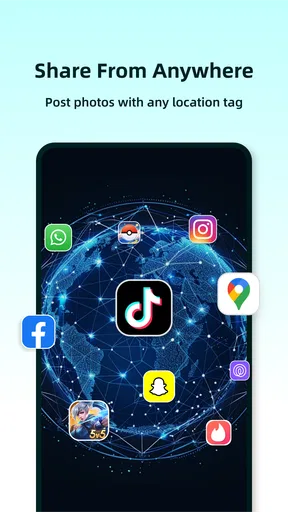
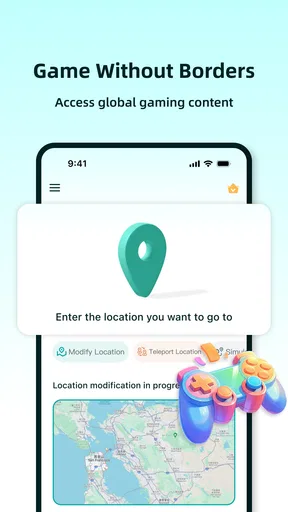
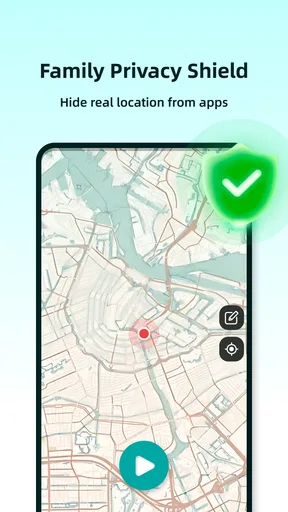
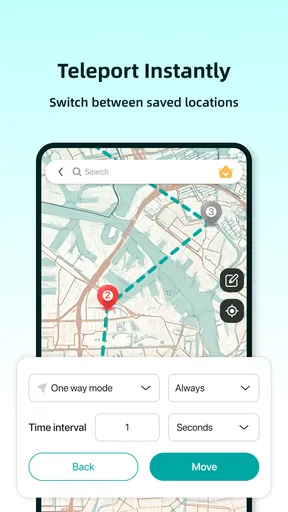
Our Review of Location Changer-Mock GPS
 Analysis by Appyee
I tested Location Changer-Mock GPS as a practical Maps & Navigation app rather than treating it like a novelty button. Its basic idea is easy to understand: it lets you simulate a GPS position so your device appears to be somewhere else. That can be useful for testing location-based behavior, checking how an app responds in another place, or exploring a mock location workflow without physically travelling.
My first impression was that the appeal is immediate. A location changer promises a result that is easy to imagine, and the short description, “Location Changer,” gets straight to that point. The more important question, though, is what happens after the first experiment. Does it become a dependable tool, or does it sit unused once the novelty wears off? In my experience, the answer depends heavily on why you need simulated positioning and how often you are prepared to manage the surrounding settings.
From an intriguing first week to a more practical routine
During the first few days, I found the app most interesting as a controlled testing aid. If I wanted to see how a location-sensitive service might behave in another region, a mock position offered a quick way to set up that scenario. This is especially relevant for developers, testers, and curious users who need to reproduce a location context without arranging a real journey.
It also has a place in demonstrations. Someone explaining how location-based features work can use a simulated position to make the idea more visible. That is more useful than simply reading about GPS behavior because the change can be observed directly in the relevant app or service. I would still treat the result as a test condition, not proof that every location-aware service will accept the position in the same way.
The app is free to install, which lowers the barrier to trying it. It is listed for Everyone and runs on Android versions from 7.0 onward, so it is not restricted to only the newest phones. Bright Prospect is the developer behind it, and the current release is version 1.0.3. Those details make it approachable for someone who wants to experiment before deciding whether a location simulation tool belongs in a regular workflow.
There is a practical distinction between changing the position shown by the device and changing every signal a service may use to judge where you are. A mock GPS location can be useful for straightforward testing, but it should not be assumed to override network information, account checks, device integrity checks, or an app’s own anti-spoofing measures. That limitation is not a minor technical footnote; it determines whether the tool solves your actual problem.
For an everyday scenario, imagine a tester preparing a location-based app for a support call. They need to reproduce a screen that appears only when the device is associated with another region. A simulated position may help them reach that test state quickly, then return to their normal location afterward. The workflow is valuable because it avoids unnecessary travel and makes repeated checks easier. It is less suitable if the service requires a verified physical presence or relies on several independent signals.
What makes the early experience useful
The strongest first-week benefit is speed of experimentation. Instead of waiting for a trip or borrowing a device from another region, I can investigate how a location-dependent experience reacts to a different GPS context. That makes the app more relevant to troubleshooting than to casual entertainment.
I also like the fact that the concept is focused. This is not presented as a full navigation suite with route planning, traffic information, or travel discovery. Its purpose is narrower, and that narrow purpose can be an advantage when I need to test a location state rather than navigate to one.
However, the same simplicity creates a responsibility for the user. Before relying on a simulated position, I would close or pause any location-sensitive activity, make the change, test the intended behavior, and then restore normal positioning. Treating the app as a permanent background setting is more likely to create confusion than value.
One useful habit is to keep a short record of the test location and the original state before beginning. That sounds basic, but it prevents a common problem with mock-location experiments: forgetting what was changed and then blaming another app when maps, weather, delivery estimates, or local recommendations look wrong. The app may make the location change easy; the discipline around that change remains yours.
Where recurring value appears, and where it starts to fade
After the initial curiosity, the app earns its place only when I have a recurring reason to simulate locations. A developer checking regional behavior several times a month can get genuine value from it. A support specialist reproducing customer reports may also find it worthwhile. In both cases, the benefit comes from repeatable testing rather than from the novelty of appearing somewhere else.
For a normal phone owner, the long-term case is weaker. Most people do not need to alter their GPS position as part of a daily routine, and the usual alternatives are better for ordinary navigation. Google Maps, Apple Maps, and similar services are designed to help me find a place, plan a route, or understand traffic while using my real position. A mock GPS utility serves a different purpose and should not be judged as a replacement for those tools.
That comparison matters because some users may download a location changer expecting travel features. This app does not belong in the same mental category as turn-by-turn navigation. It is a testing and simulation instrument. If my goal is to reach a destination, discover nearby businesses, or receive reliable local directions, I would choose a conventional maps app instead.
The app has reached over ten thousand installs and holds a 3.7 average from around fifty ratings, with two written reviews shown alongside that audience. I read that as a sign of modest interest rather than broad proof of reliability. The rating is neither a reason to dismiss it nor a guarantee that it will work perfectly with every phone and service. For a specialized tool, personal compatibility testing matters more than a general score.
Its recurring usefulness also depends on the kind of work being done. If I am checking a single screen once, installing a dedicated utility may be more effort than the task deserves. If I am comparing several regional states across a project, the same installation can save repeated setup time. The value grows with repetition, but only when the simulated location is genuinely part of the test plan.
Three practical lessons that are easy to miss
- Use it as a test condition, not as a guarantee. A changed GPS position can show how an app reacts to one location signal, but it does not prove that a service will accept the location for account, security, eligibility, or transaction decisions.
- Restore your real position deliberately. Before returning to normal use, check maps, weather, local search, and any automation that depends on location. A forgotten simulated position can quietly distort unrelated parts of the phone experience.
- Separate location testing from regional content testing. Changing GPS may affect location-aware behavior, but it is not the same as changing an account region, language, billing country, or network route. If the content does not change, that may be a limitation of the service rather than a failure of the app.
Those distinctions are why I would recommend it more readily to a tester than to someone seeking a shortcut around regional restrictions. The former has a clear, legitimate workflow and can interpret the results. The latter may expect a universal switch that the app cannot reasonably provide.
The maintenance cost behind a simple idea
The main maintenance burden is not necessarily pressing the location-change control. It is remembering when the simulated state is active and understanding which other apps may react to it. Location is woven into many everyday services, so a temporary experiment can have effects beyond the screen I originally wanted to inspect.
I would therefore use a repeatable routine: choose the test location, perform one focused check, note the result, and return to the normal state when finished. If several locations are required, I would test them one at a time instead of leaving a simulated position active between unrelated tasks. This keeps the results easier to interpret and reduces the chance of accidentally using a false location for a real-world decision.
Another maintenance issue is compatibility. The app is relatively new, having been released on June 25, 2025, and its version is 1.0.3. That does not tell me how every future Android update or third-party service will behave. A location simulation tool lives in a changing environment: operating-system behavior, app detection methods, and device settings can all affect results. Anyone using it for serious testing should repeat a small validation check after major system or target-app changes.
The free entry point is helpful, but the app also lists in-app purchases ranging from $8.99 to $39.99 per item. That makes it important to understand the free experience before spending money. I would not pay simply because a location changer sounds useful. I would first confirm that the app works for the specific phone, Android setup, and target service involved, then decide whether the paid options address a real recurring need.
This is also where the app may lose casual users. A person who wants a one-time experiment may not want to learn a careful start-and-stop routine, troubleshoot inconsistent results, or think about what other signals a service uses. The tool is more rewarding when the user accepts that simulated GPS is a technical test input, not a magic replacement for being somewhere else.
Why the novelty can become tiring
The first successful location change is memorable, but repeating it without a clear purpose quickly becomes uninteresting. The app does not create lasting value merely by making the phone appear to be in a different place. Its staying power comes from the work built around that capability: testing, debugging, demonstrations, or controlled experiments.
There is also a risk of confusing a successful visual change with a successful functional result. A map marker moving is not enough if the service still uses another source to determine region. When a test fails, I would compare the expected behavior with the exact signal the target app needs instead of repeatedly changing locations and hoping for a different outcome.
That troubleshooting mindset is one of the clearest differences between this app and ordinary navigation software. A maps app gives me feedback about roads and destinations. A mock GPS app gives me a variable to manipulate. The result may be less immediately satisfying, but it can be more valuable in a development or support context.
I would also skip it if my main reason is privacy. Simulating a location is not the same as reducing location collection, controlling account tracking, or making a service unable to identify a device. Someone looking for privacy controls should use the operating system’s permission settings and the individual service’s privacy options rather than expecting a mock-location utility to solve that problem.
Likewise, I would not choose it for safety-critical navigation, emergency situations, delivery coordination, or meeting someone in the real world. Those tasks depend on accurate positioning. A simulated location can be useful in a test environment precisely because it is not the real one; that is also why it is inappropriate when accuracy matters.
My long-term verdict on keeping it installed
In the long run, I see Location Changer-Mock GPS as a specialized utility with a clear but limited audience. It earns a permanent place on my phone when I regularly test location-aware apps, reproduce regional behavior, or demonstrate GPS-dependent workflows. In those situations, the ability to create a controlled location scenario can save time and make testing more repeatable.
For everyone else, I would treat it as an install-when-needed tool rather than a permanent companion. The free price makes that approach easy, while the Everyone age rating keeps it accessible to a broad audience. But accessibility should not be confused with universal usefulness. Most people will get more lasting value from a standard maps app, accurate location settings, and the built-in tools already intended for everyday travel.
The rating of 3.7 suggests a mixed but not disastrous reception, and the install base shows that the concept has attracted a real audience. Still, those figures should be read alongside the app’s narrow purpose. A specialized tool can be excellent for the right workflow and disappointing for someone expecting a complete location solution.
My recommendation is to begin with a small, harmless test. Choose a situation where an incorrect location will not affect navigation, purchases, account access, or communication. Check whether the target app responds as expected, then restore the real position and verify that normal location-based services behave normally. This simple trial tells you more than a general promise because compatibility is central to the experience.
I would keep it installed for development, support, education, or repeated location-based testing. I would remove it after a one-off experiment if I had no continuing use, especially if the maintenance routine started to feel like work. The lasting value is not the thrill of appearing elsewhere; it is the ability to create a controlled test without travelling.
That is ultimately where this app succeeds and where it stops. Bright Prospect has made a focused Maps & Navigation utility for simulated GPS scenarios, not a replacement for navigation, privacy management, or regional access tools. If that focused purpose matches your needs, it is worth trying. If it does not, the novelty will probably fade before the app becomes part of your monthly routine.
Verdict
Strengths of Location Changer-Mock GPS
- Simple interface makes location changes quick to set up.
- Useful for testing location-based apps without traveling.
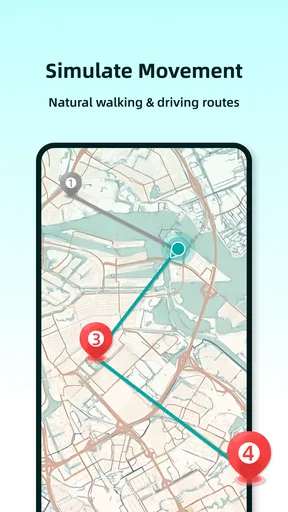
- Supports selecting locations directly on a map.
- Can help protect your real location during app testing.
- Lightweight installation with minimal storage requirements.
Limitations of Location Changer-Mock GPS
- Some apps can detect mock locations and block access.
- May require enabling Developer Options before it works.
- Location accuracy can vary depending on the selected mode.
- Frequent changes may trigger security checks on some services.
- Using it to bypass regional restrictions may violate app policies.
Similar Picks in This Category
View All
Uber - Request a ride
Uber Technologies, Inc.4.7


inDrive. Rides with fair fares
® SUOL INNOVATIONS LTD4.8

Yandex Go: Taxi Food Delivery
Mikromobilnost LLC Belgrade4.8

Bolt: Request a Ride
Bolt Technology4.8

Rapido: Bike-Taxi, Auto & Cabs
Rapido Bike Taxi4.8
Frequently Asked Questions
What is Location Changer-Mock GPS used for?
Location Changer-Mock GPS is designed to simulate a different GPS position on an Android device. After selecting a point on the map, the app can make compatible applications read that location instead of your real one. It is commonly used by developers testing location-based features, users checking how apps behave in different regions, or people experimenting with GPS-based tools. Its results can vary depending on the device, Android version, and the app being tested.
How do I set up Location Changer-Mock GPS on my Android phone?
After installing the app, you generally need to enable Developer Options on your Android device and choose Location Changer-Mock GPS as the mock location provider. You can then search for a place, select a point, and start the simulated location. The exact menu names may differ between manufacturers and Android versions. If the location does not change, check that location services are enabled and that the app has the necessary permissions.
Does Location Changer-Mock GPS work with every application?
No, Location Changer-Mock GPS cannot guarantee compatibility with every app. Many ordinary location-based applications may detect the simulated position, but some services use additional security checks, GPS signal analysis, Wi-Fi data, mobile network information, or anti-spoofing systems. Games and financial, delivery, or transportation apps may block mock locations or restrict account access. Before using it, review the rules of the application you intend to test.
Is Location Changer-Mock GPS safe to use?
The app itself changes location data presented to compatible applications, but safe use depends on how and where you use it. Grant only the permissions it genuinely requires, download it from a trustworthy source, and avoid using simulated locations to mislead services, bypass regional restrictions, or violate game and platform policies. Because mock-location tools can affect navigation and other location-dependent functions, stop the simulation when finished and restore your normal GPS settings.
Will using Location Changer-Mock GPS affect my real GPS or battery life?
The application does not permanently move your physical location, but while mock mode is active it can influence how other apps interpret your position. Navigation, weather, social, delivery, and fitness applications may display inaccurate information until you stop the simulation. Keeping GPS, maps, or a moving virtual route active can also increase battery consumption. When you finish testing, disable the mock location and restart location-dependent apps if they continue showing incorrect data.
